← 대시보드로
2026-11-09
6개 영상
2026-11-09 06:02 생성
3 Claude Settings You NEED To Turn On
Nicholas Puru 2026-11-09
3 Claude Settings You NEED To Turn On
↗ 유튜브에서 보기

핵심 요약

비개발자가 Claude를 제대로 활용하려면 복잡한 Claude Code 대신 일반 채팅에 내장된 Co-work 기능을 사용해야 합니다. 플러그인, 커넥터, 예약 작업 3가지 설정을 켜면 Claude가 단순 질문 답변기를 넘어 실제 업무를 직접 수행합니다. 이를 통해 이메일·드라이브 연동부터 정기 보고서 자동 생성까지 클라우드 기반 자동화가 가능해집니다.

주요 포인트

  • 비개발자에게는 진입장벽이 높은 Claude Code보다 기본 채팅에 내장된 Co-work 기능이 적합함
  • **플러그인(Plugins)**: 슬래시(/) 입력으로 마케팅 계획 수립, 콘텐츠 캘린더 작성 등 사전 구성된 업무 템플릿을 즉시 실행
  • **커넥터(Connectors)**: 이메일과 구글 드라이브를 연동하여 추측이 아닌 실제 업무 파일과 데이터를 바탕으로 작업 수행
  • **예약 작업(Scheduled Tasks)**: PC가 꺼져 있어도 클라우드에서 매주 월요일 오전 7시 등 지정한 시간에 맞춰 업무(예: 매출 집계)를 자동 실행
Never ever ever use Claude until you have these three settings turned on. Here's the mistake. People either treat it like Google and just ask you questions and copy its answers or worse, they jump into Claude code, which is built for more advanced people. If you're not technical, the one that you actually want is Claude co-work. It does the actual work for you and it's now built right into the normal Claude chat. So, there's nothing to actually switch on. Now, here are the three settings that make it actually do your work. First, plugins. So, click on the plus button in the message box and then open up your plugins. These are effectively just ready-made jobs. For example, this marketing one. It will write you a full campaign plan right down to the content calendar. And once they're installed, just type slash and every job pops up. Second one is connectors. So, open up your settings, click on connectors, and then just plug in your email and now your Google Drive. And now Claude isn't guessing about your business, it's reading your actual emails and all of your files. And then number three is the scheduled tasks. Since it runs in the cloud, you can just tell it to pull my sales number together every Monday at 7 a.m. and it runs every time, even when your computer's off. Just comment need and I'll send you our free AI growth plan that you can use to automate your entire
Stop telling AI to be brief. Say this instead
Dylan Davis 2026-11-09
Stop telling AI to be brief. Say this instead
↗ 유튜브에서 보기

핵심 요약

AI에게 단순히 "짧게 써 달라"고 요구하면 기준이 모호해 필요한 내용까지 임의로 잘라내기 쉽다. 대신 "2분 안에 읽고 파악할 수 있게 해줘"처럼 구체적인 독서 제한 시간을 제시하면 분량을 훨씬 정밀하게 조절한다. 여기에 글을 읽는 목적과 읽은 뒤 취할 구체적인 행동까지 함께 명시하면 AI가 군더더기 없이 꼭 필요한 내용만 정확히 담아낸다.

주요 포인트

  • "간결하게/짧게 써 달라"는 지시는 모호하여 AI가 맥락을 잘못 판단하고 필수 내용까지 누락시킬 수 있음
  • "30초/2분/5분 안에 읽고 이해할 수 있는 분량"처럼 읽기 시간 제한(Time frame)을 주는 것이 훨씬 효과적임
  • 시간 제한을 제시하면 AI가 해당 작업에 필요한 답변의 길이와 깊이를 명확하게 파악함
  • 문서를 읽는 목적(Why)과 읽고 나서 취할 행동(Action)을 구체적으로 알려주면 필요한 정보만 선별해 정리해 줌
So, often times, AI can be extremely verbose unnecessarily. So, sometimes people will tell it to be brief, be short, etc. I found that not to work very effectively because AI cuts stuff unnecessarily and doesn't really gauge how brief is brief. So, what I found that's useful is giving it a time frame. So, here we have an example of a phrase that I should be able to read this and know what to do next within 2 minutes. Now, that could be 30 seconds, 2 minutes, 5 minutes, whatever. But, if you give it a time frame for the reading, that's going to a lot how much space is needed for the task at hand. I would recommend being even more specific than that and saying, "Why am I reading this in the first place? What action am I going to take from this?" If you specify what that is, as well as the time frame, the AI is extremely good at including only what's needed for that task.
I Studied 10,000 AI Websites… Here’s what I learned
Nate Herk 2026-11-09
I Studied 10,000 AI Websites… Here’s what I learned
↗ 유튜브에서 보기

핵심 요약

10,000개 이상의 AI 웹사이트를 분석한 결과, 실제 전환을 이끌어내는 사이트의 핵심은 화려한 겉모습이 아닌 명확한 카피와 색상 대비에 있습니다. 타깃 방문자가 자신의 상황을 비추어 보듯 명확한 혜택을 느끼게 하는 '거울 테스트'와 클릭을 유도할 요소에만 강조색을 쓰는 '형광펜 법칙'을 적용해야 높은 성과를 냅니다.

주요 포인트

  • **거울 테스트 (Mirror Test)**: 방문자가 첫 화면을 봤을 때 본인의 문제와 상황을 거울처럼 마주할 수 있도록 타깃 맞춤형 카피를 작성해야 합니다.
  • **첫 화면 필수 3요소**: '누구를 위한 것인가(타깃 명시)', '무엇을 얻는가(기능 대신 구체적 결과)', '다음에 무엇을 해야 하는가(명확한 단일 CTA 버튼)'에 즉각 답할 수 있어야 합니다.
  • **기능이 아닌 결과 중심 메시지**: 'AI 기반 일정 관리'처럼 기술적 기능을 나열하기보다 'DM 답장 없이도 캘린더 채우기'처럼 고객이 얻는 실제 결과와 혜택을 강조해야 전환율이 오릅니다.
  • **형광펜 법칙 (Highlighter Rule)**: AI가 자주 범하는 색상 남발을 피하고, 책에서 중요한 한 줄만 칠하듯 클릭해야 할 핵심 버튼이나 링크에만 단일 강조색을 사용해야 합니다.
  • **60-30-10 색상 법칙 활용**: 디자인 전문가가 아니더라도 기본 바탕색 60%, 보조색 30%, 액센트 강조색 10% 비율을 유지하면 훨씬 고급스럽고 명확한 사이트를 구축할 수 있습니다.
So, I've studied over 10,000 AI websites to find out what makes a good site. Web design is one of my go-to tests for every new AI model. I've made tons of different videos about websites and I've helped thousands of students learn how to create websites using AI. And there are five key patterns that every single one follows to produce a website that actually drives a real result and therefore can be sold to businesses for $1,000. So today I'm going to walk you through all five, what they are, why they work, and how to apply them to your website. All right, so the first pattern is what I call the mirror test and it doesn't really have anything to do with the actual design. It 's all about the words or the copy on the page. So let me show you what I mean with a website called Truckers Report. It's a job site for truck drivers where drivers basically fill out one resume and then pick from job offers that trucking companies are sending. So this website's page was already converting at about 12.1%, which is pretty good, but they wanted more. They wanted a higher conversion. So they brought in a conversion agency called CXL. And before CXL touched the design at all, what they did is they surveyed the actual truck drivers and then they dug into the data. They found that about half the traffic was on phones because drivers browse while they're on the road. They also found that the headline had no benefit, so it never told a driver what they'd get out of the site. And the photo was just a classic stock handshake which no truck driver could see themselves in. So what the agency did is they rebuilt the page around the driver. And after a bunch of tests, the new page converted 79.3% better than the original page. AI tends to write really generic copy. So even if your site looks really good, it's just not going to get as many customers as it could. So the mirror test is basically this. When the right visitor lands on your first screen, it should feel like they're looking in a mirror. They should see their problem, their world, and a clear sign that they're in the right place. It's kind of the same idea as the three P's that I always talk about, the pain, the person, and the promise, just applied [music] to the first thing someone sees on your site. It's like the thumbnail. It's like the packaging of a YouTube video. Same theory for a website. So to run it, your first screen has to answer three questions. Question one is, who is this for? City Click changed their homepage headline from businesses grow faster online to create a web page for your business. And after that change, click-throughs to their pricing page went up 90% and campaign monitor matched one word their headline to the word that people typed into Google. So design, create, or build. And that one change alone got them 31.4 percent more signups. So that was question one. Question two is, what do I get? You have to actually talk about the outcome, [music] not just the feature. So instead of AI-powered scheduling, you'd want to say something like, fill your calendar without answering DMs. And question three is, what do I do next? There always has to be a button with one action, which is a call to action, like book your free call. So answer those three questions yourself and then paste that into Claude before you ask for any design and you'll get a much better result when it comes to the copy because the right person should feel like the page was built just for them. Pattern two is what I call the highlighter rule and it's all about color because AI treats color like a decoration. By default, it picks something that looks nice but doesn't have enough contrast, so nothing on the page really stands out. So the rule here is to pick one color that stands out from everything else and only use it on the thing that you want people to click, like your button or your booking link. Just think about it like you're studying with a highlighter. If you highlight one line on the page, you'll find it in two seconds when you come back. But if you highlight every single line, then nothing's highlighted. And most AI sites look exactly like that, like someone who just is highlighter happy. The accent color is on the headline and the icons and the borders and the background and the button. So the button just doesn't stand out anymore. Now I actually ran into this with the new AI Automation Society website. The first version had our blue literally everywhere and it looked so cheap. So I switched it back to mostly black and white and I kept the blue for the small things that we really wanted people to notice and it felt way more premium and it felt way more clear. And if you're not a professional designer, you can borrow a rule that interior designers use called the 60-30-10 rule. So you only need three colors. So let me show you how this would work in a living room. Say our colors are pale gray for the main color, navy for the secondary, and a burnt orange for the accent. 60 percent
The state of the world with ai (what's coming)
Nicholas Puru 2026-11-09
The state of the world with ai (what's coming)
↗ 유튜브에서 보기

핵심 요약

AI가 단기적인 대량 실직을 부를 것이라는 초기 예측과 달리, 실제 기업 현장에서는 기존 인력을 직접 자르기보다 단순 반복 잡무를 자동화하고 업무 시간을 줄이는 데 집중하고 있다. 결국 AI가 뺏는 일자리는 '대량 해고'가 아니라 '공고조차 안 나오는 일자리'이며, 매출이 늘어도 신규 채용을 동결하면서 특히 신입(엔트리 레벨) 사다리가 사라지는 추세다.

주요 포인트

  • **빗나간 초기 예측과 실제 활용**: 대량 실업 사태나 프롬프트 엔지니어링 붐 대신, 현장에서는 리드 관리, 보고서 작성, 이메일·전화 응대 등 행정 잡무를 줄이는 용도로 주로 쓰이고 있다.
  • **해고 대신 채용 동결**: 기업들은 직원을 해고하기보다 성장에 따른 신규 충원을 멈추고 퇴사자 자리를 채우지 않는 방식으로 AI 효율을 흡수하고 있다.
  • **사전 자동화 검증 필수화**: 쇼피파이, 듀오링고 등 주요 기업들은 새 직원을 뽑기 전 '왜 AI가 이 일을 대신할 수 없는지'를 먼저 입증하도록 규칙을 바꿨다.
  • **신입 채용 절벽과 시니어 쏠림**: 시니어 구인 공고는 약 15% 늘어난 반면 신입 공고는 7~12% 줄어들며 주니어 인력 비중이 빠르게 줄어들고 있다.
  • **2028년 커리어 사다리 붕괴 전망**: 전체 인원수는 유지되더라도 신입이 업계로 진입할 수 있는 첫 번째 사다리 발판이 대부분 사라질 것으로 예상된다.
So, what is AI actually going to do to your job or your business over the next few years? Well, let me just start with what it did not do. Now, about two years ago, everybody was making these same predictions about where this was all going. Some of them have since come true. Most of them did not. And since then, AI has significantly moved further than anybody has expected, just not necessarily in the direction that people were initially told. So, I'm just going to go through what happened, what is happening right now inside of the businesses that we are working with, and the five things that I believe are going to be happening next. And for each one, I will give you exactly what you could be doing and how to be prepared for all of this, whether you have a job or you own the company. So, let's start with the biggest one. Now, back in May of last year, CEO of Enthropic, he said that AI could wipe out about half of all entry-level office jobs and push the unemployment about 10 or 12%. Now he gave it about 1 to 5 years. So the clock is still running in this segment but as of September US employment is 4.2%. Now Sam Alman in 2025 he wrote that we may be seeing the first AI agents join the workforce and at big companies they most certainly did. Salesforce they went from about 9,000 people in support to about 5,000. But at these smaller companies the share actually using AI agents at scale it's still about 22% and it's barely moved since then. And then Amati, he said that AI would be writing 90% of the code within six months. And inside of his company, Enthropic, it really did move that fast because by August, their AI agents, they were putting in about 6 hours of work for every 1 hour from their employees. And yet since early last year, the US job postings for software developers, it went up almost 15%. Now, Prompt Engineering, one of the most thrown around terms, this was supposed to be job of the future. But when Microsoft surveyed 31,000 workers last year, companies ranked it near the very bottom of the roles that they plan to be adding, so it's not quite there yet. CLA, they said that its AI was doing the work of 700 support agents. But of course, about a year later, the CEO said quality had dropped and they started hiring people back once again. And then one rule with all of this that really did stick here is that in April 2025, the CEO of Shopify, he told the whole company that before anybody asks for more people, they have to show why AI cannot do that job. And then just 3 weeks later, CEO of Dualingo, he sent a memo with the same exact ruling. Now, from the inside of things, it looks like this. So, we went back through every single request that has come into our agency since late about 2024, about 1,800 of them. And when business owners told us what they wanted for jobs, these came up far more than anything else. That was following up with leads, the weekly reporting, the inbox, and handling their phones, and getting new clients onboarded. And in the businesses where we put those exact systems inside of, nobody has lost their jobs since the hours just moved. At one recruiting firm that we just recently worked with, their admin, it went from 13 hours a week per recruiter down to about three with the same exact six people. And if we look at this a little bit further, even the layoff numbers point the same exact way. AI is now the number one reason that US companies are giving for job cuts this year, about 120,000 of them through September. But total layoffs, these are actually down from last year. So when you are lining all of this up, most of the technology showed up roughly on time and the change that it came through who gets hired and where the hours are truly going. That's where my first prediction starts and that's that the jobs AI takes are mostly going to be jobs that never are going to be getting posted because most companies they don't shrink a team when AI is suddenly or maybe not so suddenly showing up. They just stop adding it to it when they start growing and they stop replacing people when they are leaving. And it's not only these big companies either because when revenue goes up at the businesses that we have worked with the first question it now becomes like what can we automate before anybody is going to get hired. It's the same thing that we have seen in those two other examples from Dolingo and Amadi. Now there were these two Harvard economists who tracked about 65 million workers and at companies that had adopted AI the junior headcount it was about 9% lower after a year and a half and it came mainly from hiring just fewer juniors. Over the past year, one company indeed, they found that senior job postings were up almost 15% while entry-level postings, these went down about 7 and 12%. Now, my prediction and a pretty safe assumption is that by 2028, the companies who are using AI, the first rung of the ladder is going to be mostly gone. The headcount, it'll likely stay flat and relatively
Building Tools With AI? Here's Why I Avoid Code Unless I Have To
Dylan Davis 2026-11-09
Building Tools With AI? Here's Why I Avoid Code Unless I Have To
↗ 유튜브에서 보기

핵심 요약

AI로 도구를 만들 때는 불가피한 상황이 아니라면 직접 코드를 작성하는 것을 피하는 것이 유리하다. 자연어 지시문만으로도 도구를 쉽게 구현할 수 있으며, 사람이 읽고 수정하기 쉬울 뿐만 아니라 코드 유지보수 부담과 보안 취약점 노출 위험을 크게 줄여준다.

주요 포인트

  • **자연어 지시문 기반 구축**: 코드를 직접 짜지 않아도 지시문만으로 구현할 수 있으며, 사람이 읽고 이해하기 쉬워 수정과 변경이 훨씬 간편함
  • **유지보수 및 버그 패치 부담 완화**: 코드를 작성하면 지속적으로 버그를 고치고 관리해야 하는 부담이 생기지만 지시문 방식은 변화에 더 유연함
  • **소프트웨어 취약점 노출 방지**: AI가 소프트웨어의 각종 약점을 빠르게 찾아내고 있어, 코드를 많이 작성할수록 보안 취약점에 노출될 위험이 커짐
  • **코드 작성의 최소화 권고**: 코드가 반드시 필요한 예외적인 경우를 제외하고는 코드 없는 설계를 우선 고려할 것을 권장함
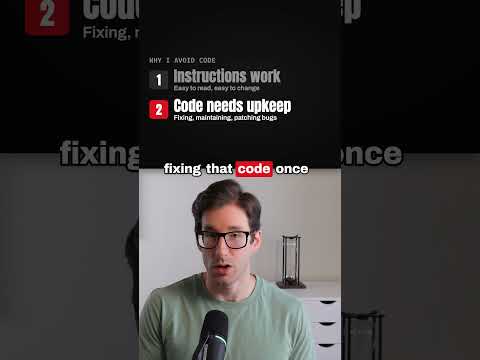
But I really push all my clients to try to avoid writing code at all costs unless it's absolutely necessary. There's two reasons for this. The first and most obvious one is that you can just do this with instructions. It's very easy. These are much easier to change because you can just go into the instructions and change it because you can read it and understand it. And also, it's a bit more resilient. And the reason being is that you have to keep on fixing that code once you've built it. You have to maintain it over time. You have to patch bugs. And the AI can do all that for you, but you have to remember to do it. But there's a lot of vulnerabilities being released because these AIs are identifying all types of weaknesses in software. And by writing code, you're exposing yourself to that. But again, sometimes it's necessary.
When should you still use manual mode in Claude? About 1 task in 50
Dylan Davis 2026-11-09
When should you still use manual mode in Claude? About 1 task in 50
↗ 유튜브에서 보기

핵심 요약

클로드(Claude)의 자동 모드는 안전하지 않은 작업을 제외한 대부분의 행동을 자동 승인하므로, 수동 모드는 50개 작업 중 1개(약 5~10%) 꼴로 아주 드물게만 쓰면 된다. 수동 모드는 금전 관련 작업, 백업 없는 파일 수정, 신규 연동 시스템의 동작 학습 등 리스크가 높거나 테스트가 필요한 특수 상황에 한해 제한적으로 활용된다.

주요 포인트

  • 자동 모드는 위험 요소가 없는 한 모든 작업을 스스로 승인해 처리한다.
  • 지식 작업 기준 수동 모드의 권장 사용 빈도는 5~10%(50건 중 약 1건) 수준으로 매우 낮다.
  • 돈이나 결제와 직결된 작업을 AI가 다룰 때는 수동 승인으로 통제해야 한다.
  • 백업이 없는 원본 파일을 AI가 직접 수정할 때는 수동 모드를 쓰는 것이 안전하다.
  • 새로운 커넥터로 시스템을 연동하고 AI의 구체적인 작동 방식을 검증·학습할 때 수동 모드가 유용하다.
And auto simply means the AI is going to automatically approve all actions it takes, excluding the things it deems unsafe. Now, some of you may ask, "Well, when should I still use manual?" For most of my clients, honestly, for most knowledge work, I say probably 5%of the time or 10%of the time. Better way to think about it is one in 50 tasks that you augment or outsource to AI. Some examples of what that could be could be if there's anything related to an AI taking actions with money involved. And honestly, this probably shouldn't be happening anyways, but if there is some situation where it is, you probably want to do manual in that case. Another option could be where the AI can actually change a file that doesn't have a backup. And then the final one is really just for learning. So, if you're connecting the AI to a new system through a connector, and you just want to see what it can do, manual could be a good good way to learn of exactly how that operates. But again, this is super rare and shouldn't happen that often.